Xchieve Platform
Welcome back
Sign in to continue your learning journey.
Xchieve Platform
Welcome back
Sign in to continue your learning journey.
UI/UX Design Mastery – Xchieve
Figma.createFrame({width:1440,height:900,name:"Homepage"}); frame.addComponent("Button",{variant:"primary",size:"lg"}); applyAutoLayout({direction:"horizontal",gap:16,padding:24}); const colors = {primary:"#6366f1",surface:"#f8faff",text:"#0f172a"}; typography.scale(base=16,ratio=1.25); spacing.system = [4,8,12,16,24,32,48,64,96]; UserResearch.conductInterview(participants=12,method="semi-structured"); affinity.cluster(insights); define.HMW("How might we reduce checkout friction by 40%?"); wireframe.lo_fi(); prototype.link(screen1→screen2, trigger:"tap", animation:"push"); usabilityTest.run(tasks=5,users=8); heatmap.analyze(clicks,scrollDepth); SUS_score=84.6; Figma.plugin.run("Tokens Studio"); token.set("color/brand/500","#4f46e5"); design.exportCSS(); handoff.inspect(spacing,typography,colors,components); accessibility.audit(WCAG="AA"); contrast.ratio(fg="#1e293b",bg="#ffffff")=12.4:1; aria.label="primary navigation"; tab.order=[1,2,3]; keyboard.navigation=true; interaction.micro={hover:150ms,press:80ms,transition:300ms}; easing="cubic-bezier(0.4,0,0.2,1)"; component.variants=["default","hover","active","disabled","loading"];
Govt. Recognised 🎨 Industry-Integrated LIVE
🖌️ UI/UX Design Mastery Bootcamp

UI/UX Design Mastery

From User Research & Wireframing to Interaction Design & Design Systems — Master Figma, Prototyping & Design Thinking and Land Roles at Top Product, Tech & Design Agencies

4.9 / 5 Rating
By 4,200+ learners
Live Bootcamp
Included in course
🗓️
16 Weeks Online
Flexible schedule
100% Placement
Career guaranteed
PM
Lead Instructor Priya Mehta, Ex-Google Designer
User ResearchFigma & PrototypingDesign SystemsInteraction DesignProduct Thinking
🎯 Beginner to Job-Ready · No prior design experience required to join
Certified By
🏅 Skill India 🏛️ NSDC ⚖️ MCA Govt. ISO Certified
Our Alumni Hired At
Google Microsoft Adobe Flipkart Atlassian Spotify Swiggy Razorpay InMobi Clevertap
🎨
Your career in UI/UX design starts here.
Join thousands who already made the leap —
your dream design career is one course away
Job-Ready Mentor-Led Certified

Course Fee

₹12,999 Today only

₹33,000   Save ₹20,001/-

4.9/5 4,200+ learners
  • 🕐 16 Weeks Online Programme
  • 💼 100% Placement Assistance
  • 🖌️ Live Design Critiques & Portfolio Reviews
Enroll Now → Enquire Now View Course Brochure Connect with our team
🎓Placement Assistance 🖌️Live Design Critique Sessions 🏆Govt. Certified Live Bootcamp 🎨Figma & Prototyping Access 📐Design Systems & Components 🎯1-on-1 Mentorship 💼Portfolio Building 📜Industry Certificate 🎓Placement Assistance 🖌️Live Design Critique Sessions 🏆Govt. Certified Live Bootcamp 🎨Figma & Prototyping Access 📐Design Systems & Components 📜Industry Certificate
Course Benefits

Why Choose This Course?

Get more than just education — join a comprehensive learning experience engineered for your success in the product design and UX industry

Industry-Recognized Certificate
Earn a verified certificate recognised by top product companies and design agencies including Google, Adobe, Flipkart, and Razorpay — a credential employers trust.
Live Design Labs & Critiques
Hands-on practice with Figma, Maze, Miro, Lottie, and Framer — industry-standard tools used by professional UX designers and product teams at leading tech companies.
Career Assistance
Get targeted career guidance, design-specific portfolio reviews, UX interview prep, and networking sessions with senior product designers and design leads at top companies.
Global Community
Join thousands of design professionals worldwide and network with product designers, UX researchers, and creative directors from top tech companies and design studios.

Trusted by Industry Leaders

Our curriculum is designed in alignment with leading product companies and design agencies to ensure you learn the most in-demand UI/UX and product design skills

Amazon
Google
Microsoft
IBM
Bosch

Reviews from Students

Don't just take our word for it — hear what our students have to say about their UI/UX Design learning experience

★★★★★4.9/5 from 3,400+ students
AS
Ananya Singh
Product Designer
Razorpay
★★★★★

"The User Research and Interaction Design modules are truly exceptional! The depth of coverage on user journeys, information architecture, and micro-interactions is unmatched. The live design critique sessions prepared me perfectly for real product design work. I landed my Product Designer role at Razorpay within 4 weeks of completing this programme."

PK
Pranav Kumar
UX Designer
Flipkart
★★★★★

"The design systems and prototyping sections were incredibly detailed. The Figma component building, usability testing workflows, and accessibility standards gave me a massive advantage in interviews. The portfolio project module alone is worth the entire course fee."

VR
Vaibhavi Rao
Senior UX Researcher
Adobe
★★★★

"Outstanding coverage of user research methods, usability testing, and design thinking frameworks. The real-world case studies on mobile and web products are exactly what top companies look for. The mentor support throughout the bootcamp was excellent — the instructors have genuine product design industry experience!"

4.9/5
Average Rating
97%
Success Ratio
100%
Career Support
3.4k+
Success Stories
Course Content

Course Curriculum

A comprehensive learning path from design fundamentals to advanced prototyping, design systems, and industry-ready portfolio workflows for product companies

48 Modules 190 Lessons 16 Weeks
  • What is UX Design — Principles, Process & Mindset
  • UI vs UX vs Product Design — Roles & Responsibilities
  • Design Thinking Framework — Empathize, Define, Ideate, Prototype, Test
  • Visual Design Principles — Contrast, Hierarchy, Alignment & Proximity
  • Colour Theory, Typography & Spacing Systems
  • Overview of the Modern UI/UX Designer Career Path
  • Research Methods — Interviews, Surveys, Observations & Diary Studies
  • Defining User Personas & Jobs-to-be-Done Frameworks
  • Empathy Mapping, Affinity Diagrams & Synthesis
  • Customer Journey Mapping & Experience Mapping
  • Competitive Analysis & Heuristic Evaluation
  • Information Architecture — Card Sorting & Tree Testing
  • Defining HMW Statements & Design Opportunity Areas
  • Research Synthesis & Presenting Insights to Stakeholders
  • Miro & FigJam — Running Remote Research Workshops
  • Project: Full UX Research Report for a Real Product
  • Lo-Fi Wireframing — Paper Sketches to Digital Wireframes
  • Mid-Fi Wireframes in Figma — Layouts & Grids
  • Hi-Fi Prototyping — Transitions, Overlays & Smart Animate
  • Interaction Design Patterns — Navigation, Onboarding & Modals
  • Micro-Interactions & Motion Design with Lottie & Framer
  • Mobile-First Design — iOS & Android Human Interface Guidelines
  • Responsive Web Design — Breakpoints & Adaptive Layouts
  • Gesture-Based & Voice UI Design Principles
  • Prototype User Testing with Maze & UserTesting
  • Project: End-to-End Prototype for a Mobile App Feature
  • Figma Interface Deep Dive — Frames, Groups, Constraints & Auto Layout
  • Components, Variants & Properties System
  • Building and Documenting a Full Design System
  • Tokens Studio — Design Tokens & Multi-Brand Theming
  • Figma Dev Mode — Handoff Specs for Engineers
  • Collaborative Design — Branching, Reviews & Version History
  • Figma Plugins — Automating & Supercharging Your Workflow
  • Project: Build a Complete Design System from Scratch
  • Moderated vs Unmoderated Usability Testing
  • Planning a Usability Study — Goals, Metrics & Tasks
  • Running Remote Sessions with Lookback & Maze
  • Analysing Results — Rainbow Spreadsheets & Severity Ratings
  • A/B Testing Fundamentals & Split Testing in Products
  • SUS, NPS & HEART Framework — Measuring UX Success
  • Analytics for Designers — Hotjar, GA4 & Mixpanel
  • Iterative Design — Incorporating Feedback into Designs
  • Project: Conduct a Full Usability Study & Redesign Iteration
  • What is a Design System — Atoms, Molecules & Organisms
  • Colour Palette, Typography Scale & Spacing Systems
  • Building Core Components — Buttons, Forms, Cards & Navigation
  • Iconography — Designing & Sourcing Icon Sets
  • Accessibility in Design Systems — WCAG 2.1 AA Compliance
  • Storybook & Design-to-Code Workflows with Developers
  • Project: Publish a Figma Design System Library
  • Brand Identity Fundamentals — Logo, Colour & Voice
  • Mood Boarding & Visual Direction Setting
  • Illustration & Icon Style Design for Digital Products
  • Marketing Design — Landing Pages, Social Assets & Email Templates
  • Dark Mode & Multi-Theme Design Best Practices
  • Project: End-to-End Visual Identity System for a Startup
  • What Makes a Great UX Portfolio — Structure & Case Studies
  • Crafting Compelling Case Studies — Problem, Process & Outcome
  • Portfolio Platforms — Behance, Dribbble, Notion & Personal Site
  • LinkedIn & Behance Optimization for Designers
  • Design Resume Writing — Skills, Tools & Impact Statements
  • Project: Build a 3-Case-Study Portfolio Ready for Job Applications
  • WCAG 2.1 & Accessibility Standards for Web & Mobile
  • Designing for Screen Readers, Keyboard Navigation & Motor Impairments
  • Inclusive Design Principles & Diverse User Representation
  • Dark Patterns — Identifying & Avoiding Manipulative UX
  • Project: Accessibility Audit & Remediation Report
  • AI-Powered Design Tools — Figma AI, Galileo AI & Midjourney for UX
  • Generating Wireframes & Mockups with AI Assistance
  • Prompt Engineering for Design Ideation & Asset Creation
  • Designing Conversational UIs — Chatbots & LLM Interfaces
  • The Future of UX — AR/VR, Voice & Spatial Computing Design
  • Project: AI-Augmented Product Redesign Capstone

How will your training work?

Follow our structured learning path designed to take you from design basics to advanced prototyping and portfolio-ready projects through live critiques and expert designer mentorship.

Step 01
Learn Concepts
Go through training videos covering user research, wireframing, visual design, and interaction design at your own pace with expert product designer instructors.
Step 02
Test Yourself
Test your knowledge through module quizzes, design challenges, and UX interview-style practice assessments and take-home assignments.
Step 03
Live Design Labs
Work on real product briefs using Figma, Maze, Miro, and Framer. Build complete design systems, prototypes, and usability-tested product flows.
Step 04
1:1 Doubt Solving
Get your design and research doubts resolved by senior product designers and ex-FAANG UX leads through the Q&A portal within 24 hours.
Step 05
Take Final Exam
Complete your capstone design project — a fully documented UX case study with prototype, usability study, and design system — and pass the final assessment.
Step 06
Get Certified
Earn your professional UI/UX Design certification and placement support begins immediately — your design career awaits.

Ready to Start Your Design Career?

Join thousands of students who have successfully completed our programme and landed roles at top product companies, design agencies, and tech startups.

Self-paced learning Expert support Live design critiques
Enroll Now — ₹12,999 →
Professional Certifications

Industry-recognized & Government Approved Certificates

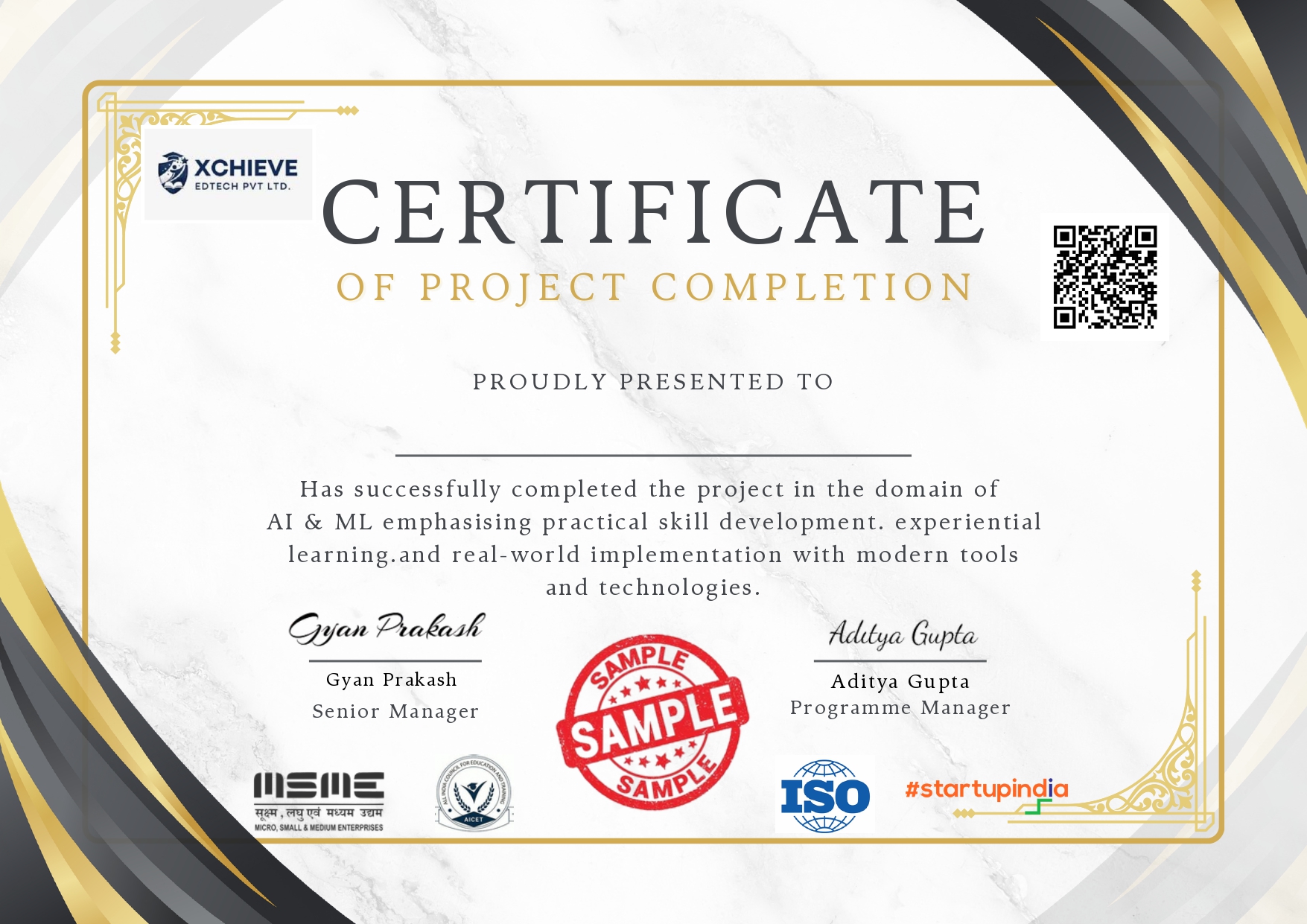
Verified certificates recognised by product companies and design agencies and government bodies — the proof employers demand when hiring UI/UX designers.

🏛️
Government
Skill India Certificate
Nationally recognised certificate issued under Skill India — Ministry of Skill Development & Entrepreneurship.
NSDC ApprovedGovt. Backed
🎓
Industry
NSDC Certification
National Skill Development Corporation certified course completion, trusted by top product companies, design agencies, and tech startups across India.
Industry-RecognizedPan India
Quality
ISO Certified Program
Our UI/UX Design programme is ISO 9001:2015 certified, ensuring internationally recognised quality standards in design education.
ISO 9001:2015Global Standard
⚖️
Legal
MCA Govt. Approved
Ministry of Corporate Affairs approved certification that adds legal validity to your professional UI/UX designer and product designer profile.
MCA VerifiedCorporate Valid
Xchieve vs Others

Why Choose Xchieve Over Others?

Compare our comprehensive UI/UX Design learning experience with other popular platforms. See why thousands choose Xchieve to launch their design career.

Features
⭐ Best Value
Xchieve
Coursera
Udemy
edX
Government Certified Courses
NSDC & Skill India certified programs
100% Career Assistance
Full placement & career support
Live Design Labs & Critiques
Real Figma, Maze & Framer design environments
Live 1:1 Mentorship
Personal mentor from product & design industry
Lifetime Course Access
Access all course materials forever
24/7 Doubt Support
Round-the-clock design & UX technical assistance
Portfolio & Interview Prep
Design-specific portfolio reviews & mock interviews
AI-Powered Learning Path
Personalised curriculum based on career goals
Premium Community Access
Exclusive design & product professional network
Overall Score
9/9 ✦
4/9
3/9
3/9
Xchieve
⭐ Best Value
9 / 9 ✦
Government Certified Courses
100% Career Assistance
Live Design Labs & Critiques
Live 1:1 Mentorship
Lifetime Course Access
24/7 Doubt Support
Portfolio & Interview Prep
AI-Powered Learning Path
Premium Community Access
Coursera
4 / 9
Government Certified Courses
100% Career Assistance
Live Design Labs & Critiques
Live 1:1 Mentorship
Lifetime Course Access
24/7 Doubt Support
Portfolio & Interview Prep
AI-Powered Learning Path
Premium Community Access
Udemy
3 / 9
Government Certified Courses
100% Career Assistance
Live Design Labs & Critiques
Live 1:1 Mentorship
Lifetime Course Access
24/7 Doubt Support
Portfolio & Interview Prep
AI-Powered Learning Path
Premium Community Access
edX
3 / 9
Government Certified Courses
100% Career Assistance
Live Design Labs & Critiques
Live 1:1 Mentorship
Lifetime Course Access
24/7 Doubt Support
Portfolio & Interview Prep
AI-Powered Learning Path
Premium Community Access
Your Credentials

Certificates You'll Earn After Completing the UI/UX Design Mastery Program

Earn verified credentials that showcase your UI/UX design expertise to employers and clients worldwide.

1
Course Completion Certificate
Acknowledge your hard work with a certificate from Xchieve upon successfully finishing the UI/UX Design Mastery programme.
2
Internship Certificate
After completing a hands-on design and product research internship, you will receive an official certificate from Xchieve and top-tier tech companies.
3
Industry Certificate
Earn a prestigious industry certificate from well-known product companies and design agencies as recognition of your practical UI/UX and product design expertise.
4
Government Recognized Certificate
Receive NSDC & Skill India certified credentials backed by the Government of India's Ministry of Skill Development.
🏛️ Govt. Approved
ISO Certified
🎓 NSDC Backed
⚖️ MCA Verified
Flexible Pricing

Pick the Plan That Launches Your Career

One-time payment. Lifetime access. Industry-recognised certificates included in every plan.

● StarterSave 50%
Self Paced Program
Study at your own speed
5,999
/course  ·  ₹11,999
What's included
  • UI/UX Design Video Lectures
  • Industry-Based Design Projects
  • Industry Graded Certificates
  • Doubt Clearing Sessions
  • Design Challenges & Quizzes
  • Personal Dashboard
  • Placement Assistance
  • AI Portfolio Review Portal
  • 1-on-1 Career Counselling
⭐ Most PopularSave 50%
Mentor-led Program
Live guidance from design experts
8,999
/course  ·  ₹17,999
🎉 Early bird price applied!
What's included
  • UI/UX Design Video Lectures
  • Industry-Based Design Projects
  • Industry Graded Certificates
  • Doubt Clearing Sessions
  • Design Challenges & Quizzes
  • Personal Dashboard
  • Portfolio Building
  • AI Portfolio Review Portal
  • Placement Assistance
  • 1-on-1 Career Counselling
● Premium🏆 Best Value
SAVE 50%
Career Edge
Everything you need to get hired
12,999
/course  ·  ₹25,999
🎉 Extra early bird discount!
Everything included
  • UI/UX Design Video Lectures
  • Industry-Based Design Projects
  • Industry Graded Certificates
  • Doubt Clearing Sessions
  • Design Challenges & Quizzes
  • Personal Dashboard
  • Portfolio Building
  • Personal Branding Workshop
  • Optimize Your Behance & LinkedIn
  • AI Portfolio Review Portal
  • Placement Assistance
  • 1-on-1 Career Counselling
  • Internship Guarantee Letter
  • Priority Job Referrals
🔒 Secure Payment ⚡ Instant Access ♾ Lifetime Updates 💬 24/7 Support
Got Questions?

Frequently Asked Questions

Everything you need to know before you enrol in our UI/UX Design course. Can't find your answer? Reach out to us anytime.

Do I need prior design or tech knowledge before joining?+
No prior design or technical experience is required. Our course starts from design fundamentals and builds progressively up to advanced Figma, interaction design, design systems, and usability testing. Students from engineering, arts, commerce, and non-design backgrounds have all successfully completed this programme.
Will I get access to Figma, prototyping tools, and design software?+
Yes! All enrolled students get guided access to Figma (with shared team libraries), Maze for usability testing, Miro and FigJam for workshops, and Lottie for animations. Career Edge plan students also receive live design critique lab sessions and real product briefs from partner companies for the duration of the programme.
Is there a pre-registration option available?+
Yes, you can pre-register to lock in the early bird pricing before the next cohort begins. Pre-registered students are first to receive access and get exclusive onboarding resources including a UX interview question bank, Figma shortcuts cheat sheet, and a design principles quick-reference guide.
What is the refund policy?+
Our courses are crafted with care and commitment, and as such, we do not offer refunds. We believe in the value and quality of our educational services and encourage you to attend a free demo session before enrolling.
What roles can I target after completing this design course?+
Graduates from our programme have landed roles as Product Designer, UX Designer, UI Designer, UX Researcher, Interaction Designer, and Design Consultant at companies including Google, Adobe, Flipkart, Microsoft, Razorpay, Swiggy, Atlassian, Spotify, InMobi, and Clevertap.
What are the timings of the live sessions?+
Live mentor sessions and bootcamp classes are scheduled after 6 PM on weekdays and on weekends to suit working professionals and college students. Recordings are available within 24 hours for those who miss a session, including all live design critique walkthroughs and Figma lab sessions.
Support Available 24/7
Still have questions?
Our expert design and product team is here to help — reach out anytime via chat, WhatsApp, or a free counselling call with a senior product designer or ex-FAANG UX lead.
Free counselling call with design expert
18,000+ community members
No obligation to enroll
Average response time
Under 2 hours
Active community
18,000+ members
Xchieve Footer